The video provides an in-depth overview of Star Citizen’s new graphics menu introduced in patch 4.5, focusing on the extensive range of visual settings and their impact on performance and VRAM usage. A significant portion is dedicated to anti-aliasing (AA) options, comparing no AA, FSR, TSR, and DLSS. The presenter highlights that DLSS, especially with the new Transformer model officially supported in this patch, offers the best image stability and sharpness, outperforming other methods in reducing jagged edges and shimmering. While DLSS’s Transformer model improves upscaling from lower resolutions like 1080p, some minor visual artifacts remain, but overall, it is recommended for users with compatible Nvidia cards.
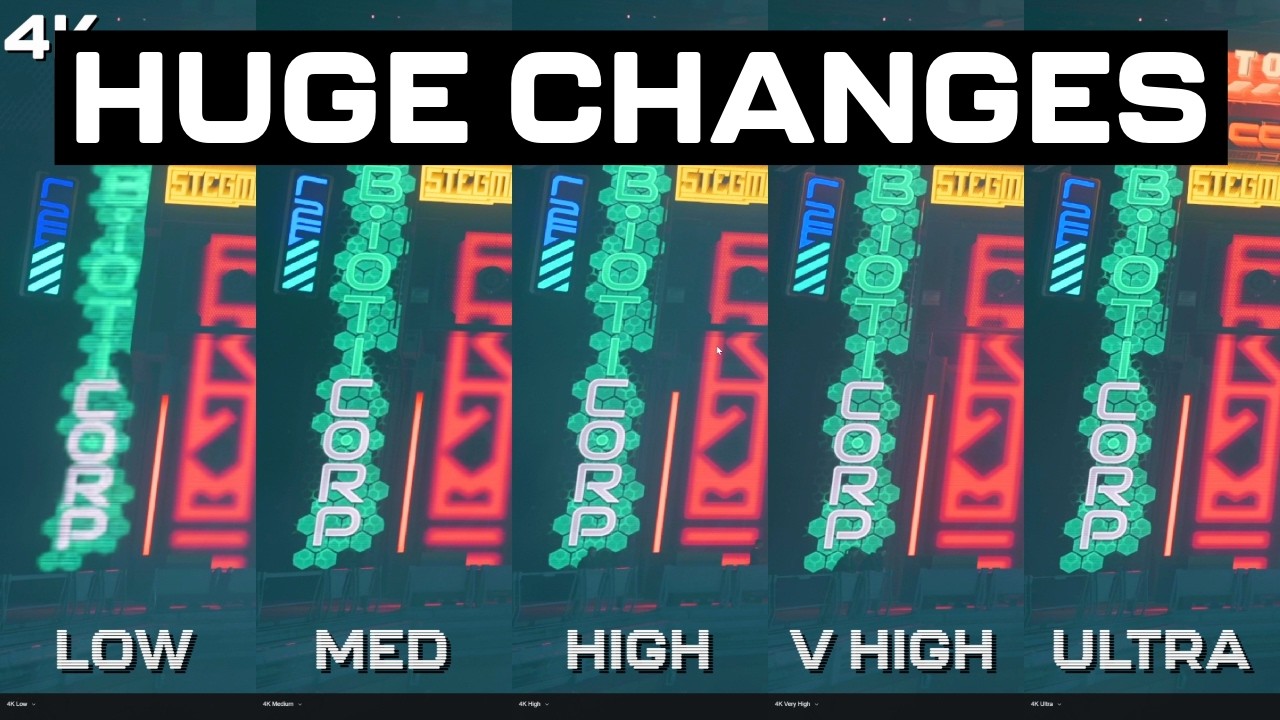
The video then explores the preset graphics quality levels—low, medium, high, very high, and ultra—showing clear visual differences in texture resolution, object detail, and shadow quality. Low settings significantly reduce detail and sharpness, while high and above offer much better visual fidelity. VRAM usage is a critical factor, with ultra settings demanding upwards of 10-13 GB at 4K or 1440p resolutions, which may cause performance issues or crashes if the GPU runs out of memory. The host demonstrates how exceeding VRAM limits leads to severe frame rate drops and stuttering, emphasizing the importance of balancing settings based on available VRAM.
Individual graphics settings are examined in detail, including object detail, view distance, texture quality, shadow maps, and cloud quality. Object detail affects polygon complexity and tessellation, with low settings producing noticeably angular models. View distance controls how far objects are rendered, impacting GPU and CPU performance, though its visual effect can be subtle. Texture quality is identified as the main VRAM consumer, with low settings reducing texture resolution by 50%. Shadow map quality greatly influences shadow sharpness, with ultra providing the best detail but at a VRAM cost. Cloud settings remain the most significant performance factor, with very high and photo mode cloud quality causing substantial FPS drops.
Other settings like gas clouds, fog, water caustics, water simulation, shader quality, post effects, and video com lighting are discussed, though many show subtle or hard-to-detect visual differences. Shader quality adds 3D detail to flat surfaces, enhancing realism with minimal performance impact. Water simulation settings control the number of simultaneous water effects but showed inconsistent results in testing. Overall, most individual settings do not drastically affect performance, except for cloud quality, which remains the dominant factor in FPS variation.
Finally, the video stresses that while many new graphical options are available, the best approach depends on the user’s hardware, especially VRAM capacity. The presenter notes that future updates may further optimize settings and VRAM usage, particularly with the transition to the Vulkan API. The video is part of an ongoing series, with promises of more performance-focused analysis and testing to come. Viewers are encouraged to experiment with settings to find the optimal balance between visual quality and smooth gameplay, especially given the demanding nature of Star Citizen’s graphics.