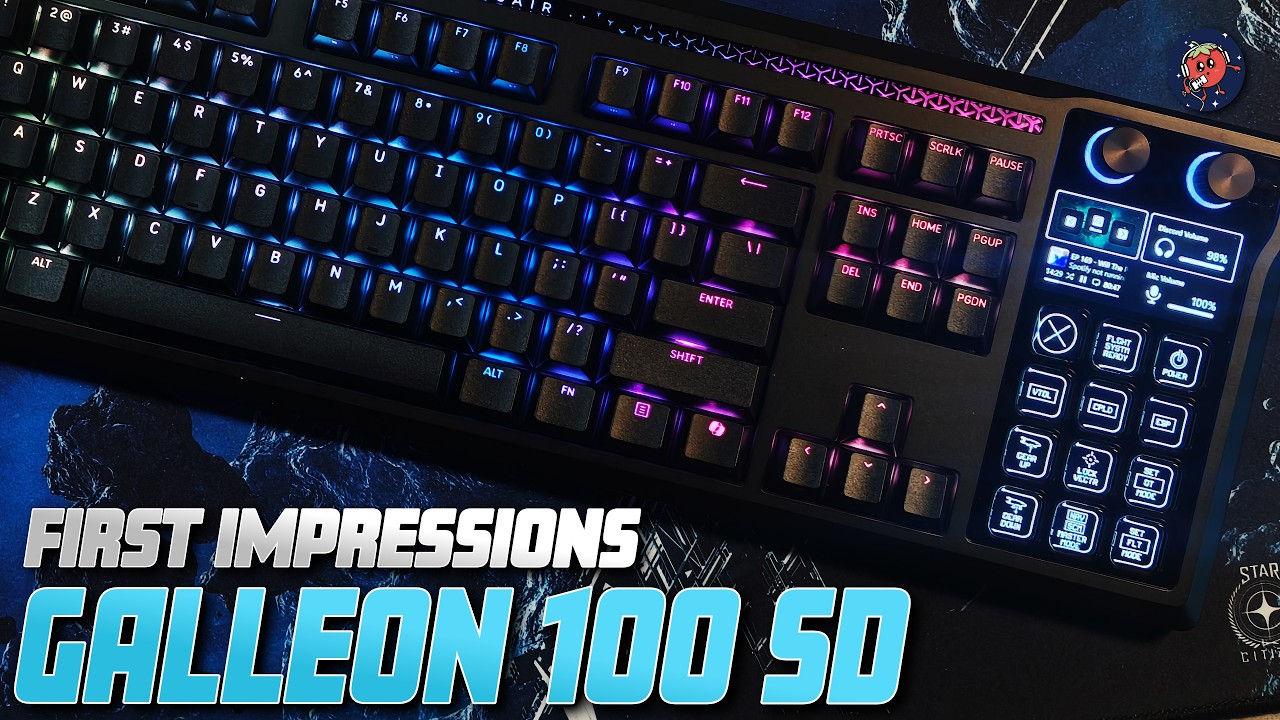
The Corsair Galleon 100 SD keyboard is a unique device that integrates a Stream Deck directly into the keyboard, offering convenience for users who occasionally need quick access to specialized commands. While initially skeptical about the Stream Deck’s placement on the right side, the reviewer found it surprisingly useful. The keyboard itself is solidly built, featuring a heavy metallic frame, cushy wrist rest, and high-quality PBT keys with satisfying switches. However, the reviewer prefers a low-profile and white keyboard, which this model does not offer, and notes the $350 price point requires justification due to the combined cost of the keyboard and built-in Stream Deck.
The Stream Deck portion is the standout feature, allowing users to assign customizable key bindings with icons, emojis, and even animated gifs. Corsair provides preconfigured profiles and icon packs to simplify setup, supporting many games and productivity applications, though it may take time to match the extensive ecosystem of traditional standalone Stream Decks. The device excels at managing less frequently used commands that users might forget or find cumbersome to execute, making it a practical addition for specific workflows beyond everyday gaming controls.
The reviewer highlights the extensive ecosystem surrounding the Stream Deck, including plugins and community-made profiles that enhance functionality across various programs such as color pickers, camera controls, and popular apps like Notion and Spotify. Although some plugins may lose developer support over time, the ecosystem’s flexibility and integration are valuable. Specifically for Star Citizen, the reviewer found useful plugins and icon packs that enhance gameplay by simplifying access to complex or obscure key bindings, though this requires personal customization and experimentation.
Despite its potential, the reviewer admits to feeling somewhat overwhelmed by the setup process and acknowledges that the keyboard with integrated Stream Deck may not suit everyone. Success with the device largely depends on the user’s willingness to invest time in configuring it to their needs. The seamless integration of hardware and software, backed by a reputable company like Corsair, offers reliability and a cohesive user experience, making it a solid choice for those already invested in the Stream Deck ecosystem or those looking for an all-in-one solution for added control.
In conclusion, the Corsair Galleon 100 SD is a cool and genuinely useful device but not necessarily for the average user. The reviewer recommends experimenting with alternative control methods before committing to this $350 keyboard. They plan to continue testing the device over the coming months to determine its long-term value and usability, especially in complex gaming scenarios like Star Citizen. Viewers are invited to follow along, ask questions, and consider the keyboard if they are already engaged with the Stream Deck ecosystem or looking for enhanced control options in their setup.